

Transfer Money Received by the Secretary to the Treasurer
How to transfer payments from the secretary to the treasurer, including creating and delivering a payover receipt and tracking status in accounting.
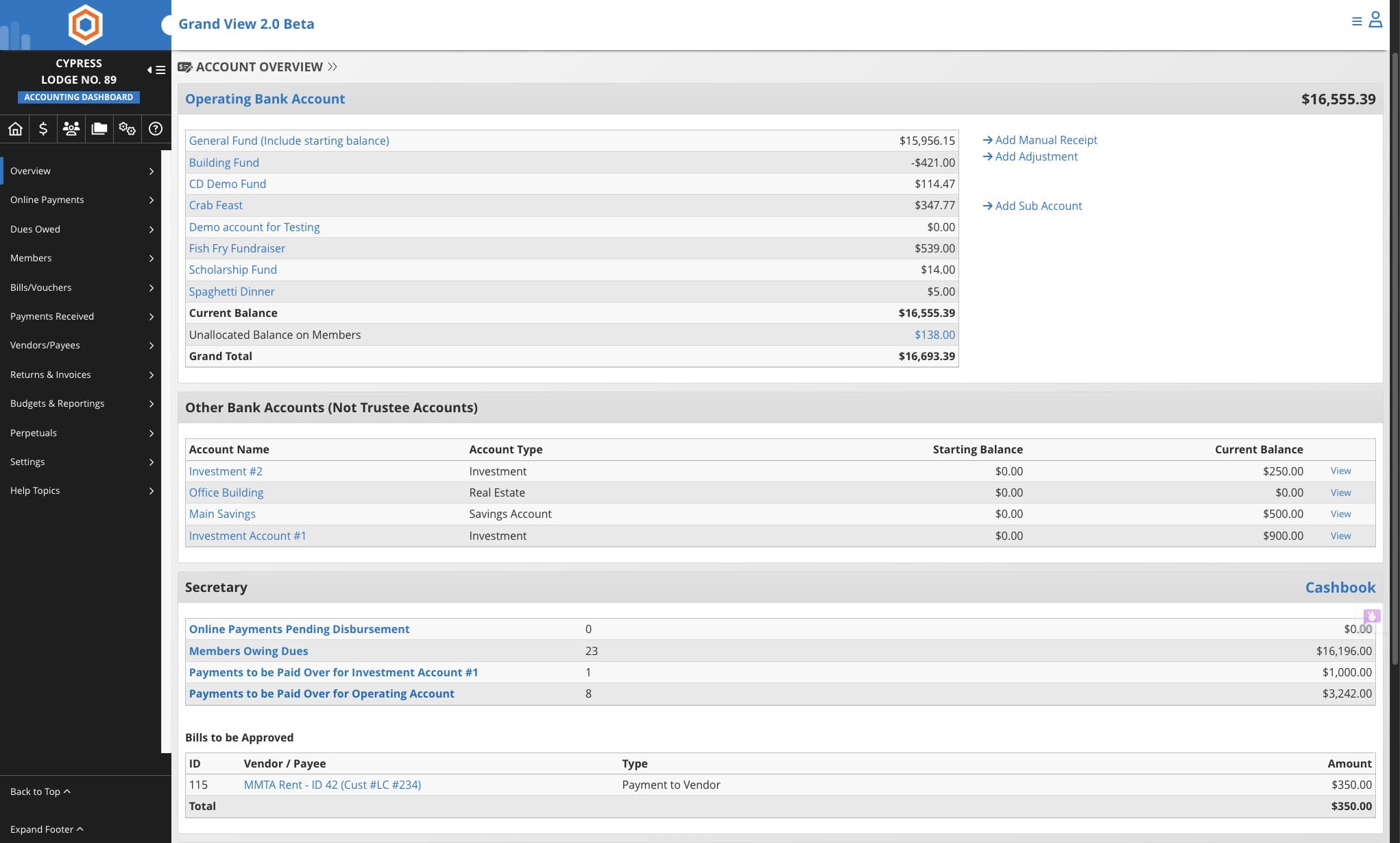
From the Accounting tab on the Lodge Dashboard
Click on "Payments to be Paid Over for Operating Account" or the account in which you wish to create the payover

Select the payments you wish to pay over to the treasurer
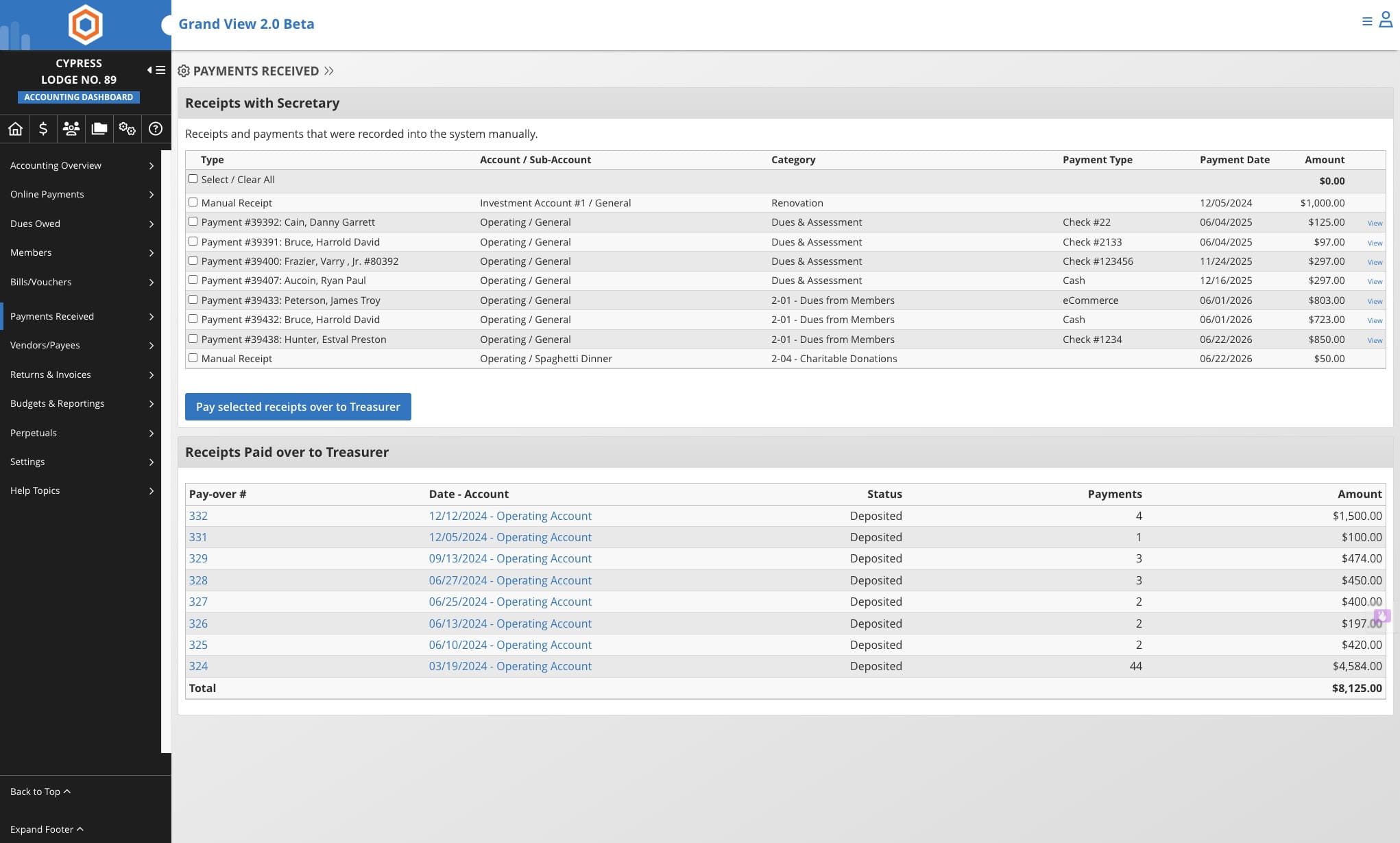
Click the “Pay Selected Payments over to Treasurer” button. This will take you to a page where you can review the payments and total to be transferred.
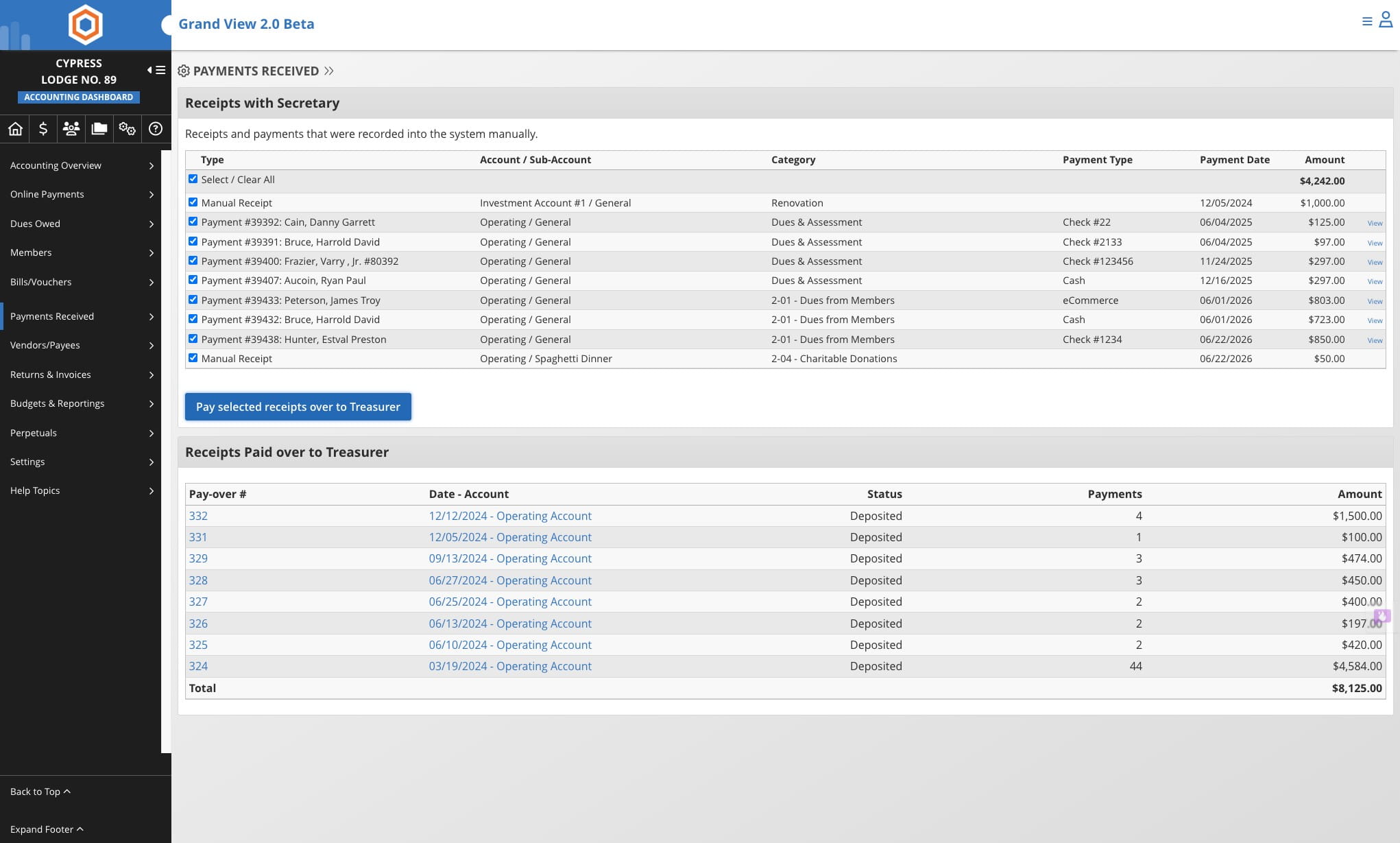
Once you have verified the transactions and amount to be paid over click the “Create Payover Receipt for Treasurer” button.
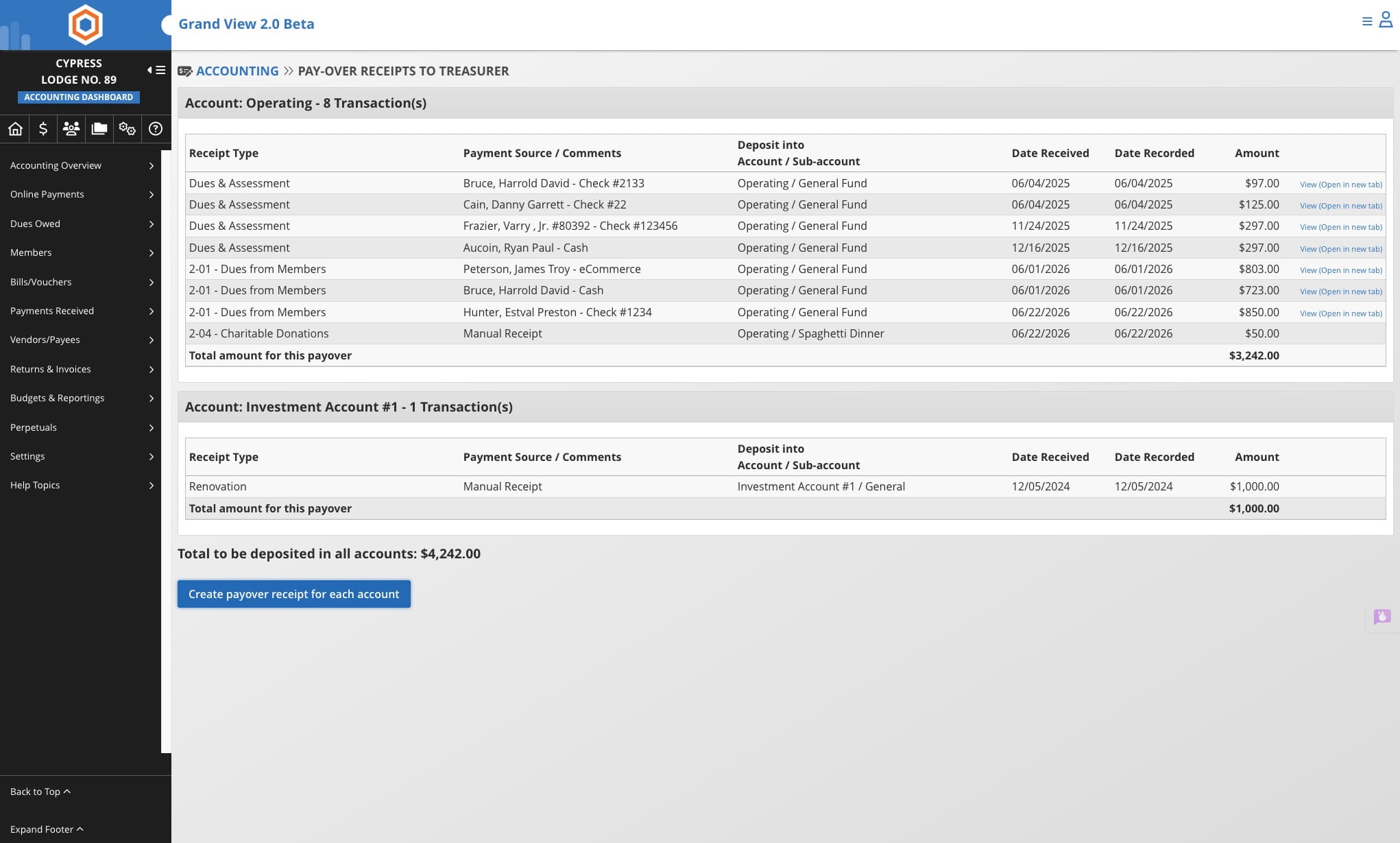
Click on the newly created payover
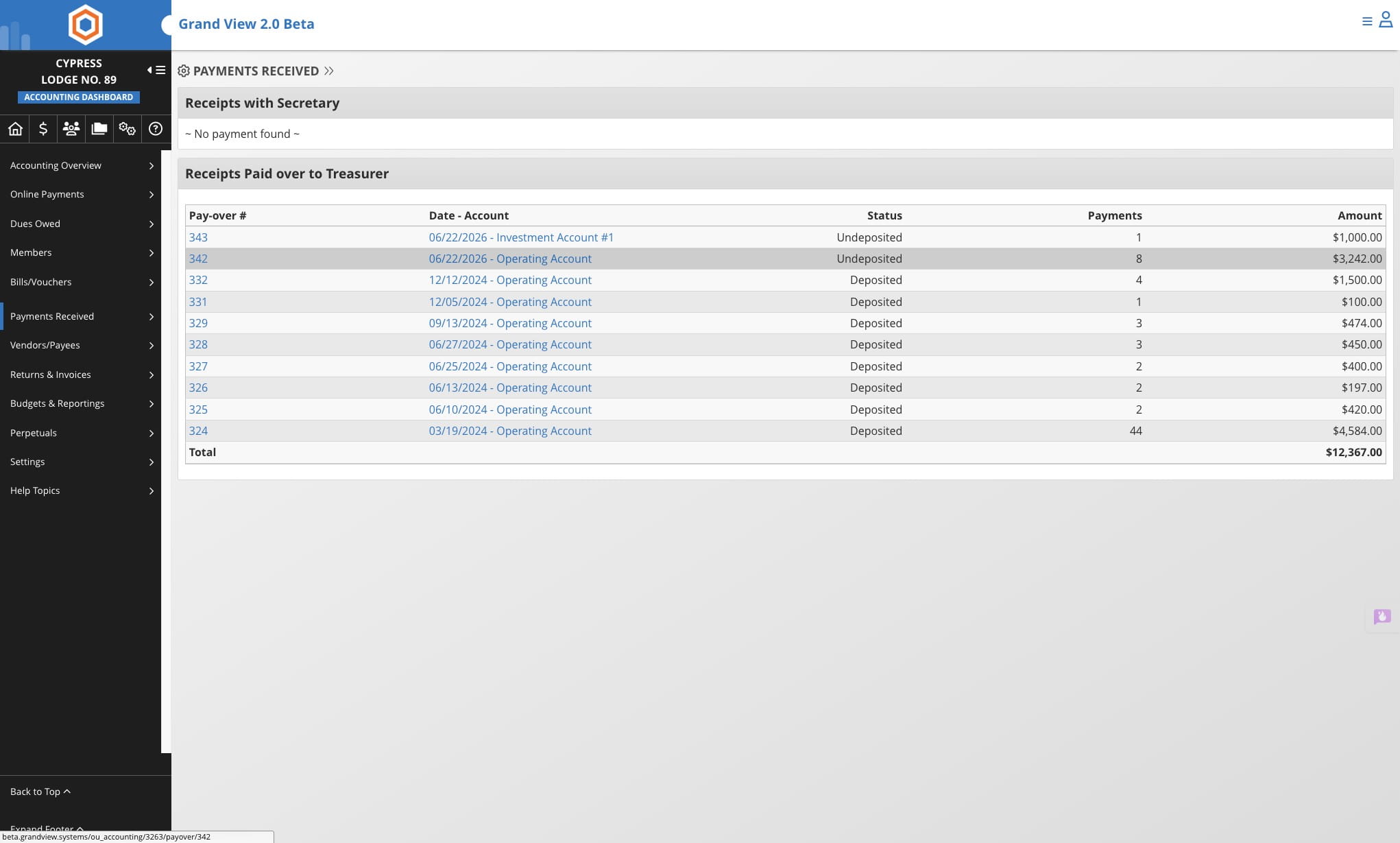
You can then print the payover receipt and deliver that along with the monies to the treasurer
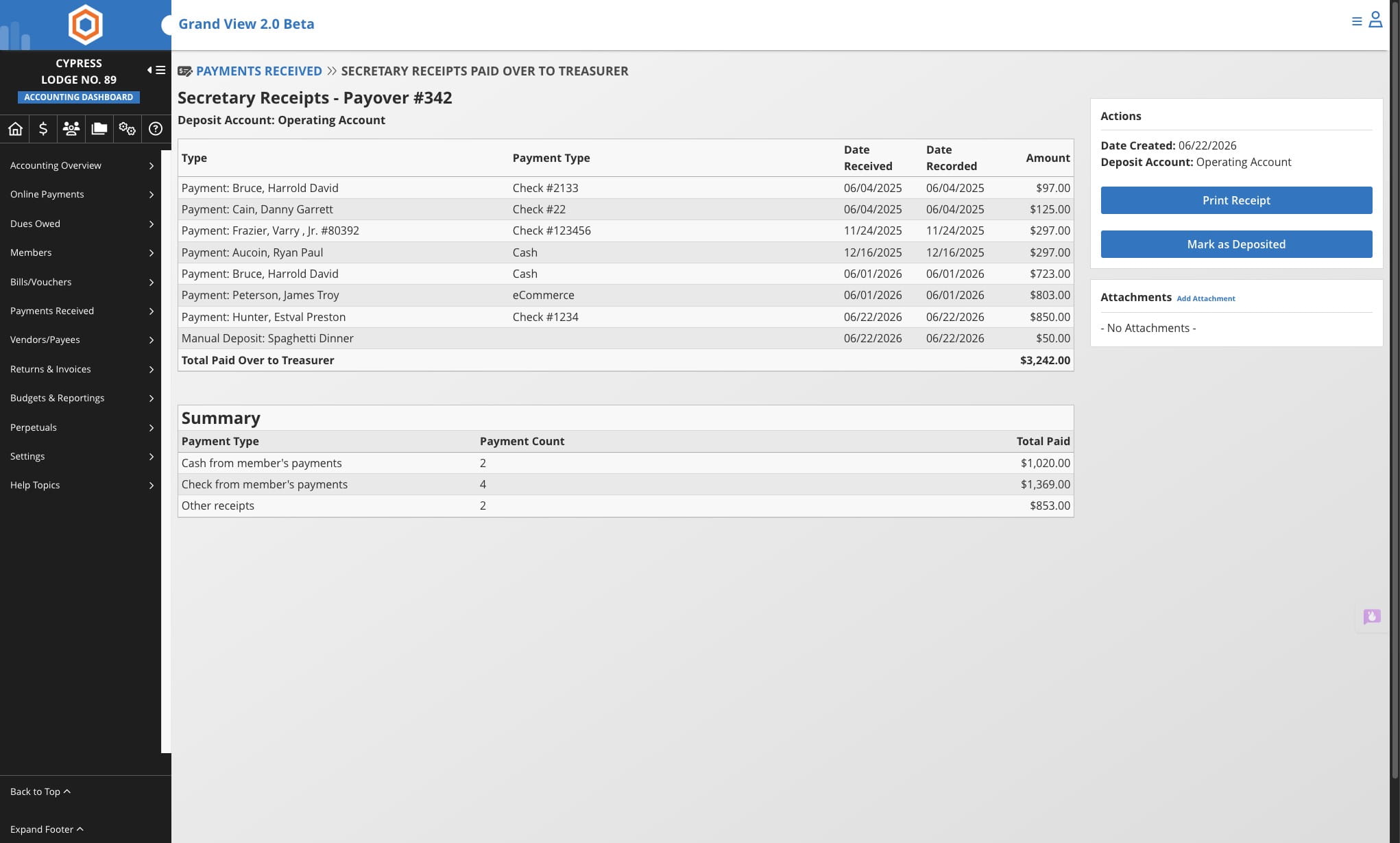
Undeposited payovers appear in the Treasurers section of the accounting dashboard. Once deposited the treasurer will go to the respective payover and change the status to “deposited” and can attach a photocopy of the receipt.
Deposited payovers appear on the cashbook as “Deposit - Receipts Paid Over to Treasurer”. This item should track with the bank account of the lodge and can be reconciled as such.