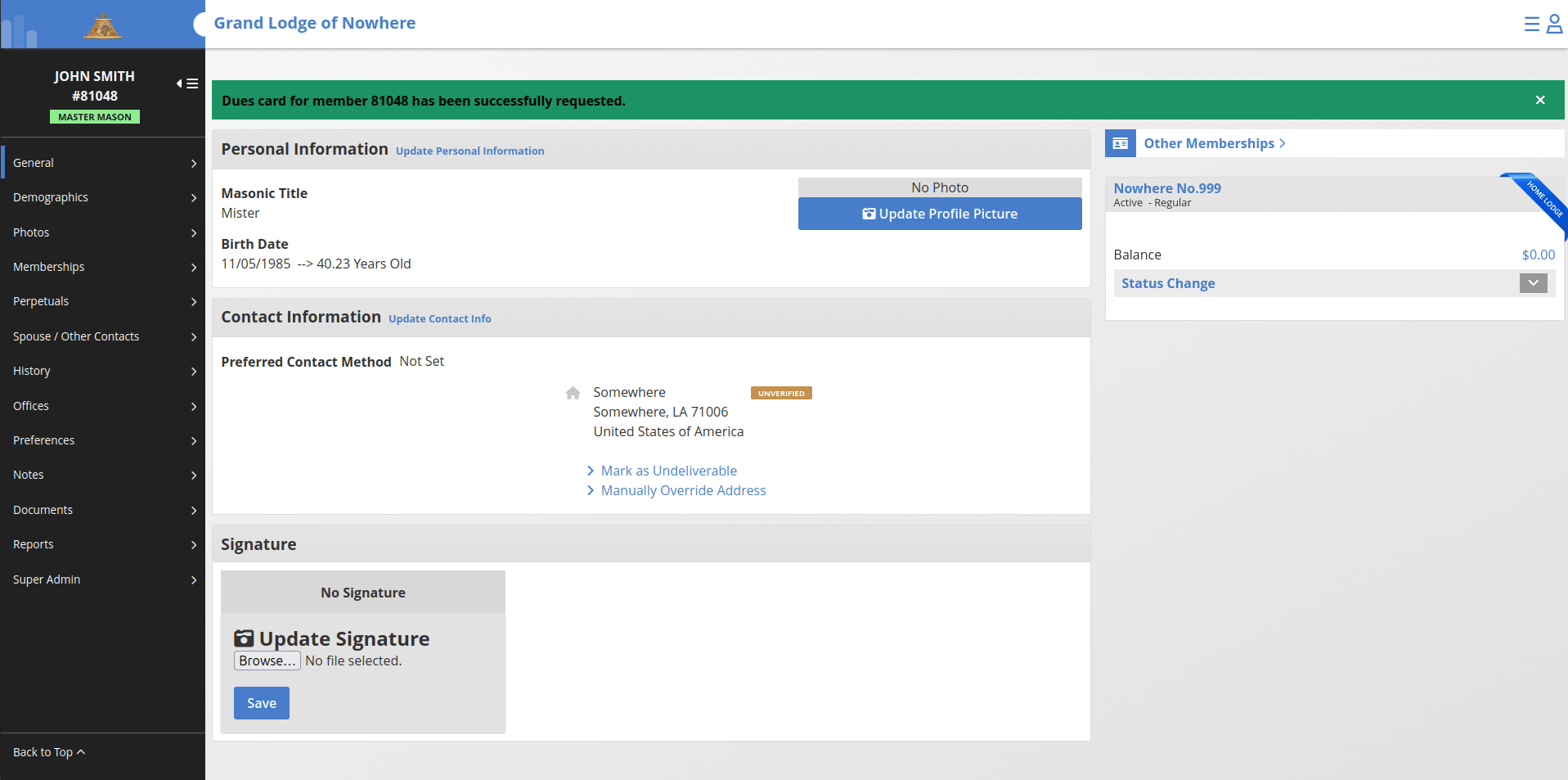
COGS - How to Request a Certificate of Good Standing for a Pending Foreign Affiliation
This document will guide you through the steps for creating a new foreign affiliation for a member utilizing the COGS workflow.
Overview
When a member submits a pending foreign affiliation, a Certificate of Good Standing (COGS) must be requested and approved by the member’s home (foreign) jurisdiction before the affiliation can be processed. This guide walks you through the full lifecycle of a COGS request—from identifying the pending affiliation, to requesting the certificate, to responding as the receiving or sending jurisdiction.
BEFORE YOU BEGIN
Before requesting a Certificate of Good Standing, ensure that you have:
- Confirmed all member information is accurate and up to date
- Reviewed the details of the pending foreign affiliation
Locate the Pending Foreign Affiliation
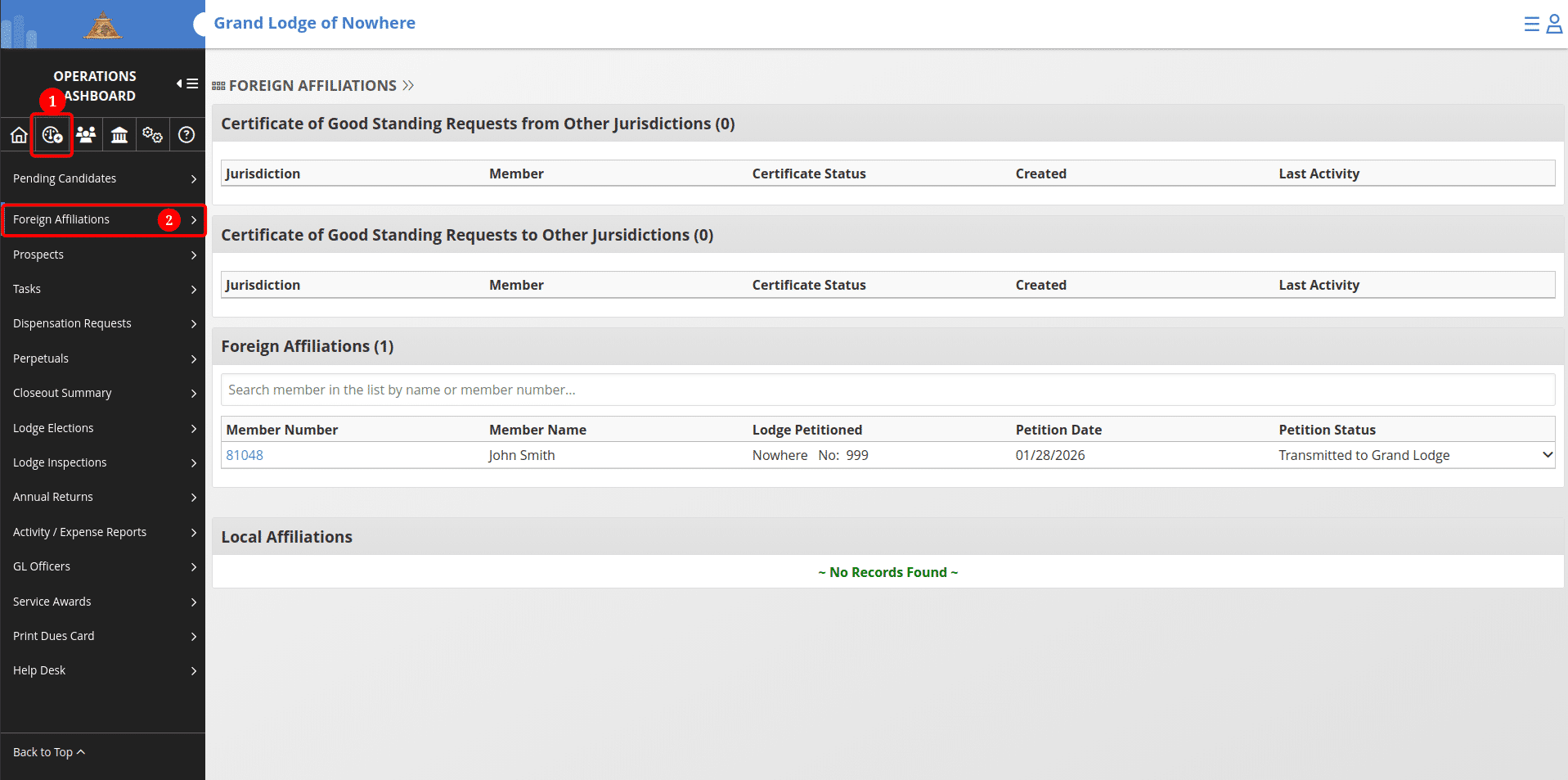
1. Navigate to the Operations Dashboard and click on "Foreign Affiliations" in the left-hand menu. 2. Locate the request under the Foreign Affiliations section and click on the record.
Review the Member Record
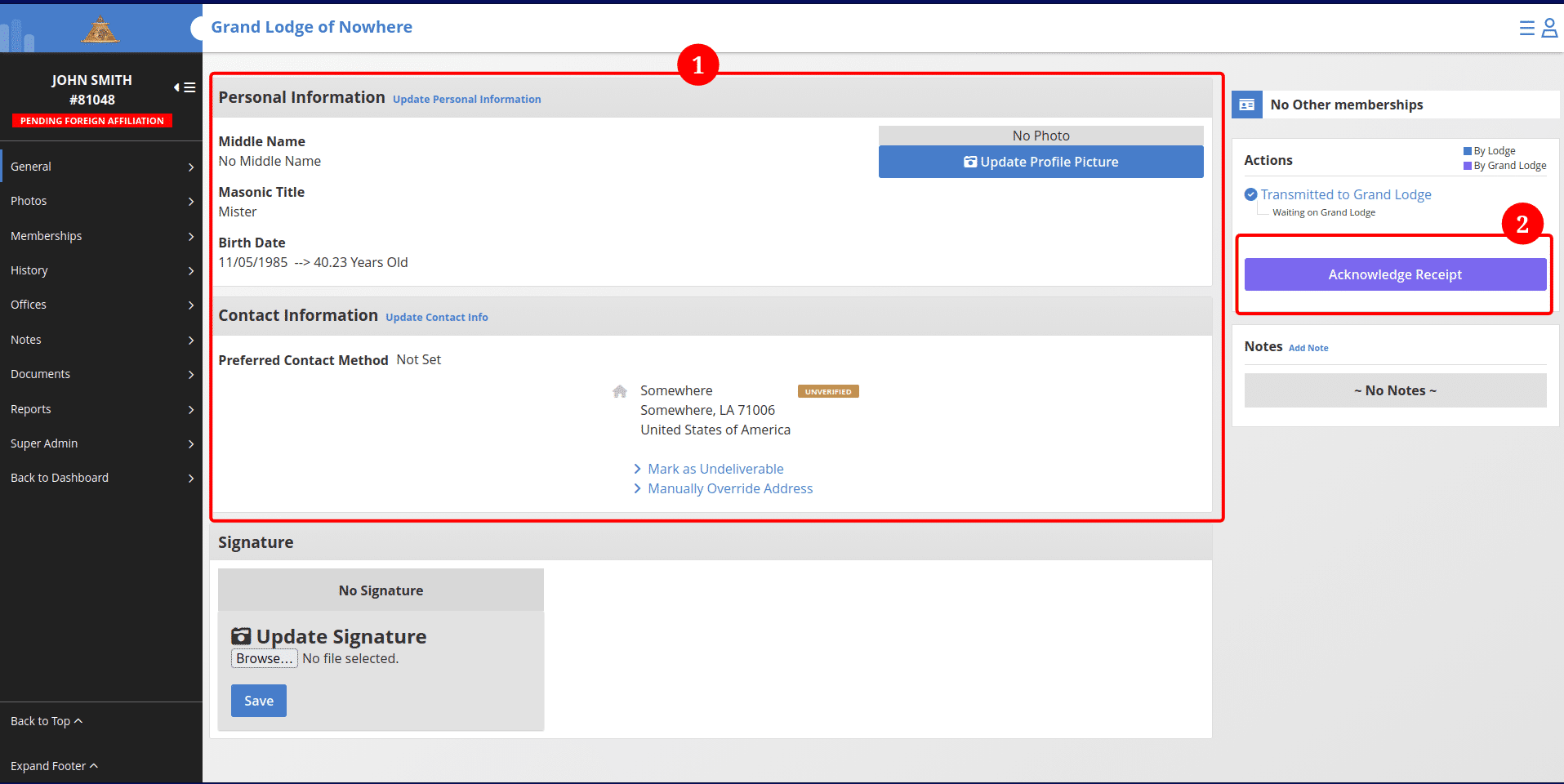
Before requesting the Certificate of Good Standing, open the member’s record. 1. Review all personal, lodge, and status information. 2. Click on "Acknowledge Receipt" and confirm
This step helps prevent delays or rejections from the foreign jurisdiction.
Request the Certificate of Good Standing
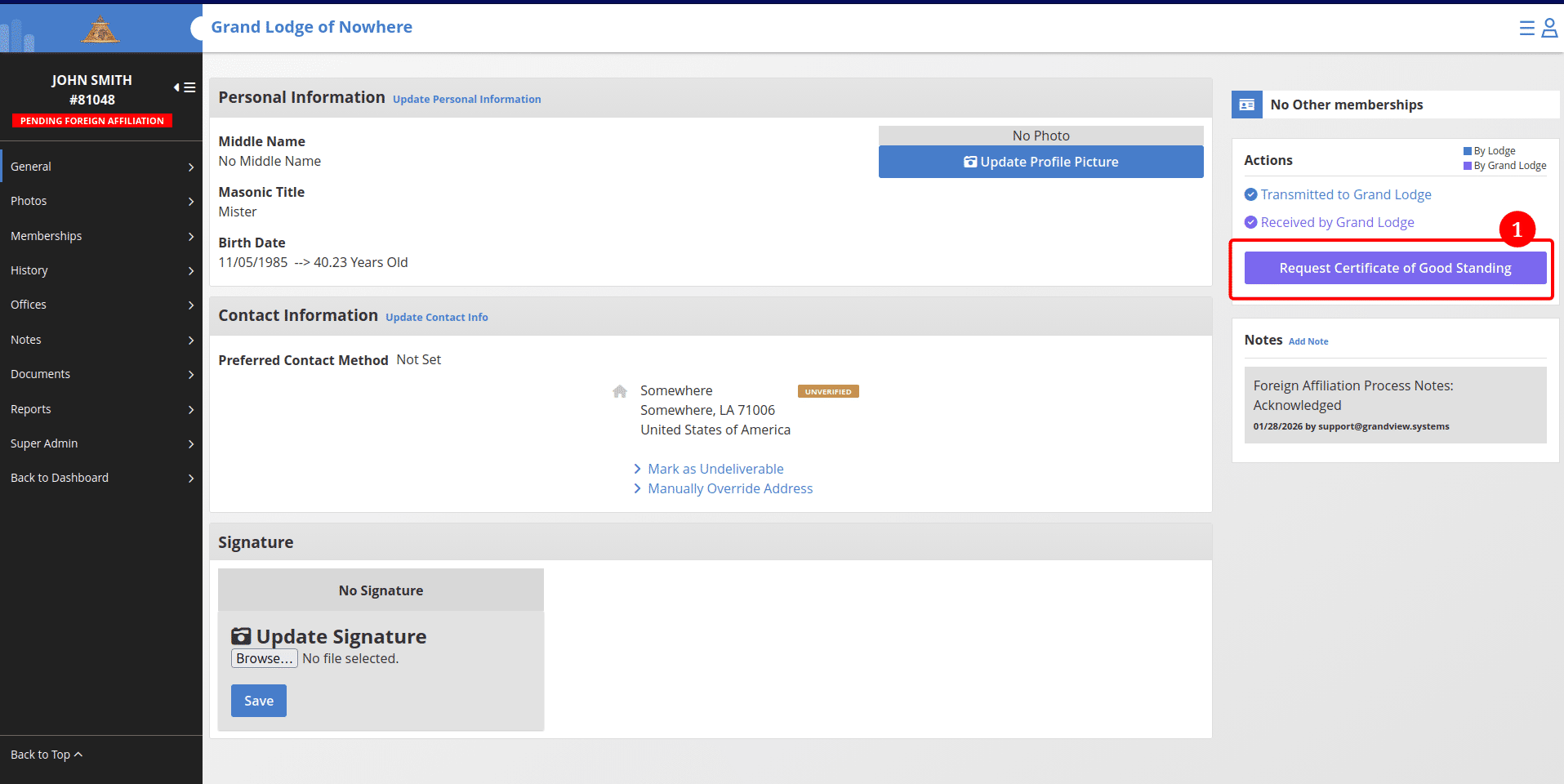
1. From the pending affiliation, click the purple “Request Certificate of Good Standing” button.
Confirm the request
1. Confirm the request in the pop-up dialog by clicking the "Submit request" button.
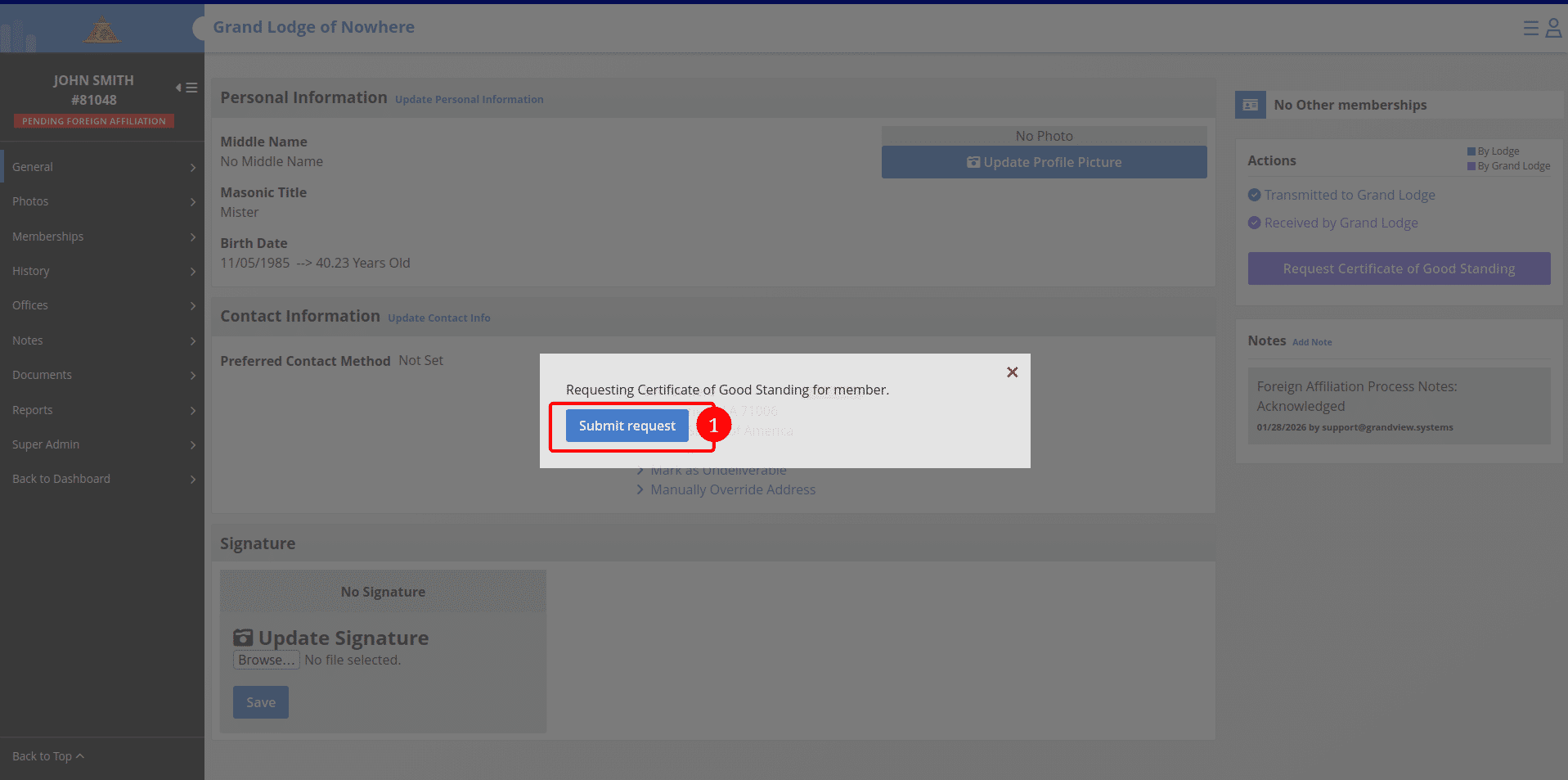
Once confirmed:
• The request is transmitted to the foreign jurisdiction. • The member record will display that a Certificate of Good Standing has been requested. • The Operations Dashboard will update to show the transmitted request and its current status.
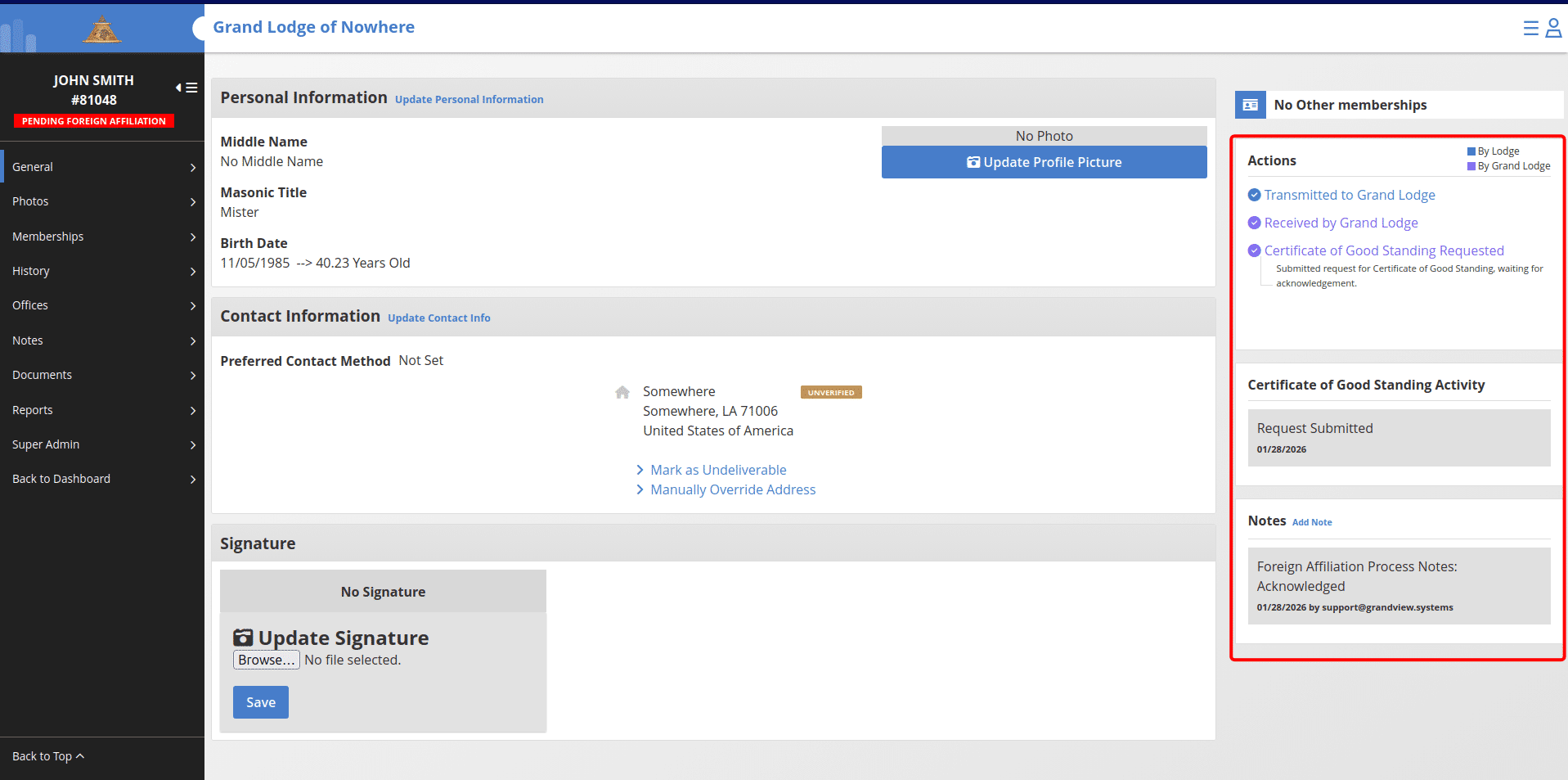
Tracking the Request
• The Operations Dashboard displays all outgoing and incoming Certificate of Good Standing requests. • Status updates automatically as the receiving jurisdiction takes action on the request. This dashboard also shows requests sent to your jurisdiction by other jurisdictions for processing.
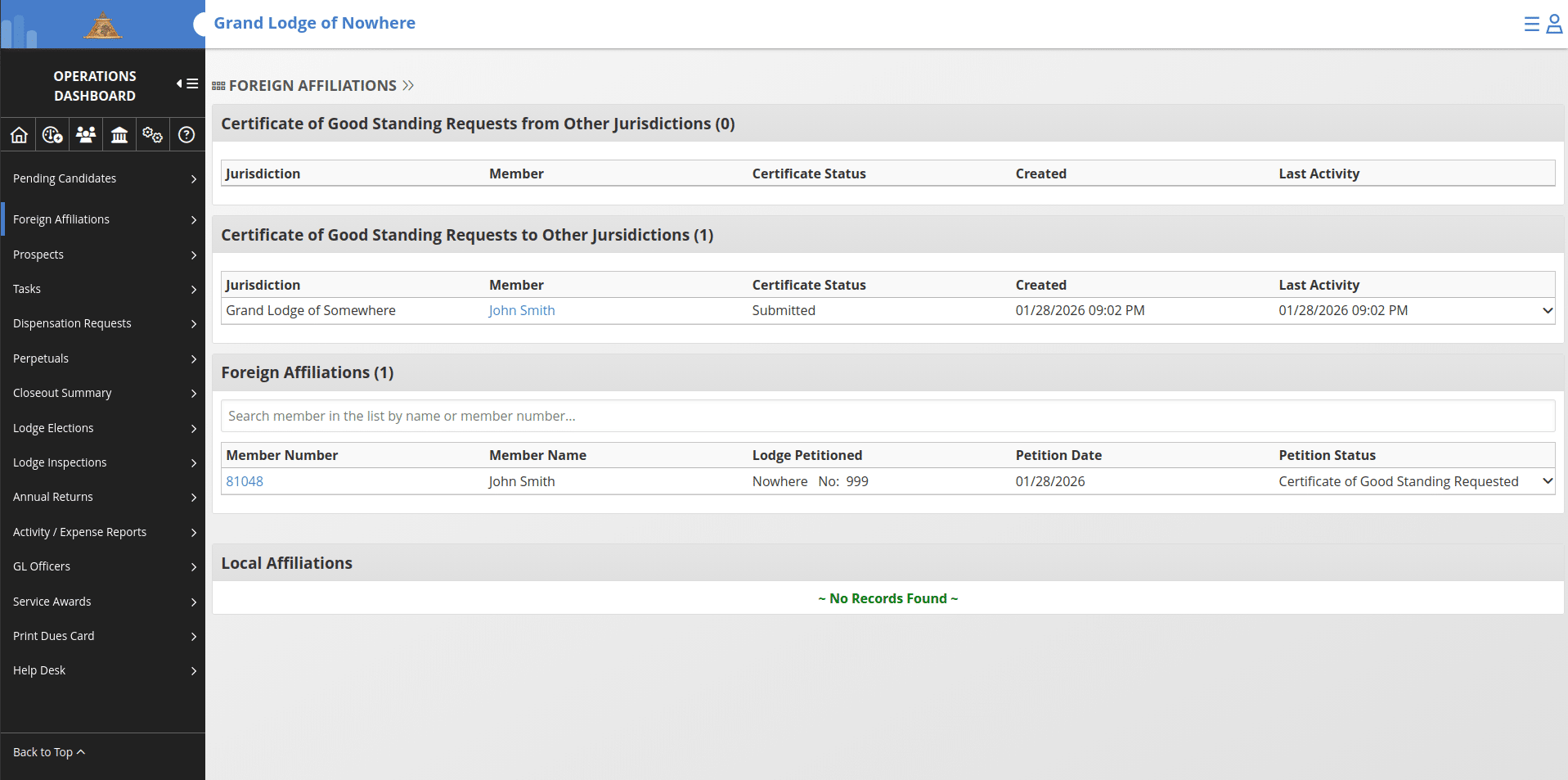
After receiving a response
Once a response is received: • The Operations Dashboard reflects the updated status. • The member record updates automatically based on the response. If the member is marked In Good Standing, the "In Good Standing" action button becomes available on the member record.
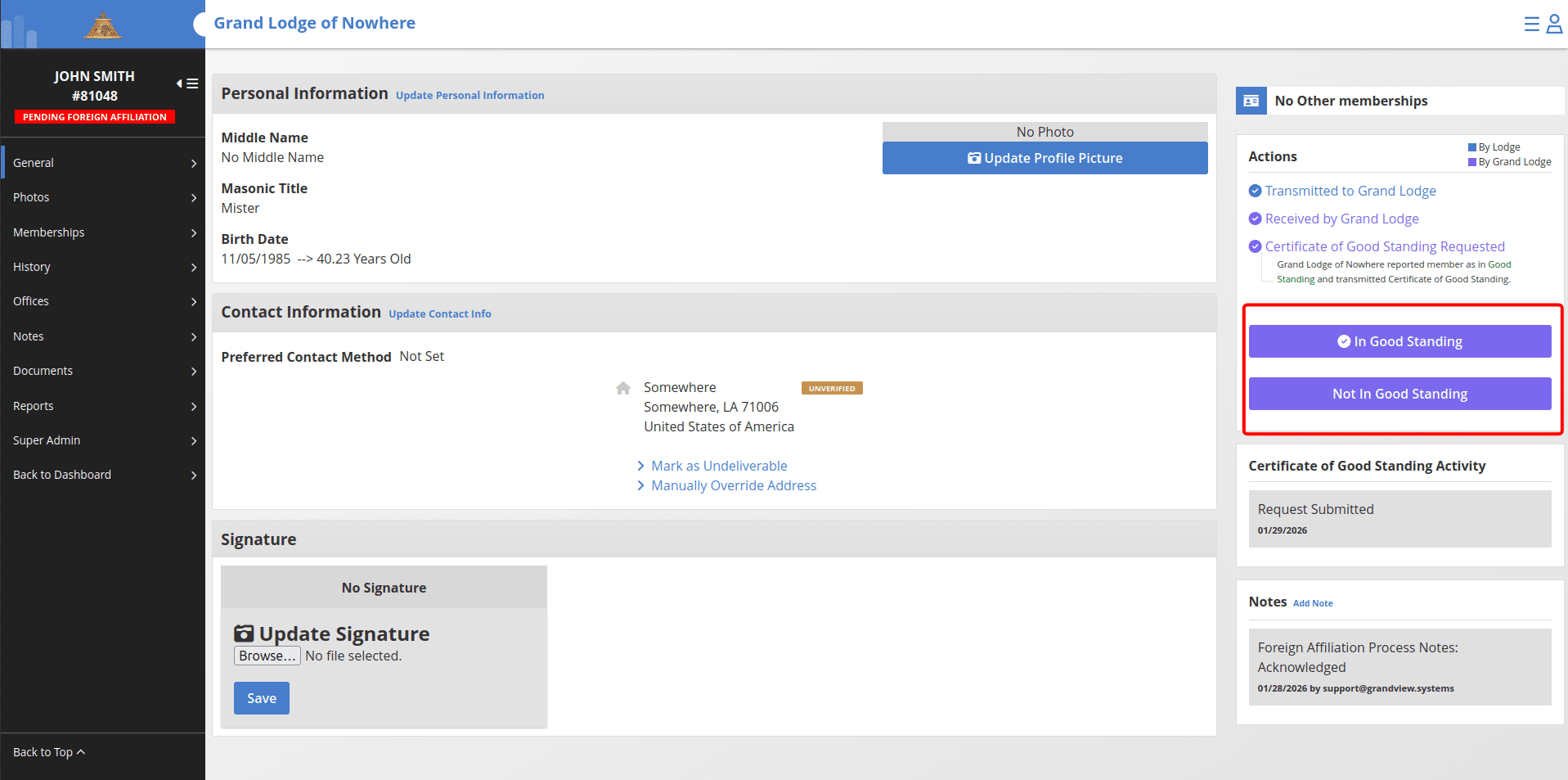
Confirming In Good Standing status
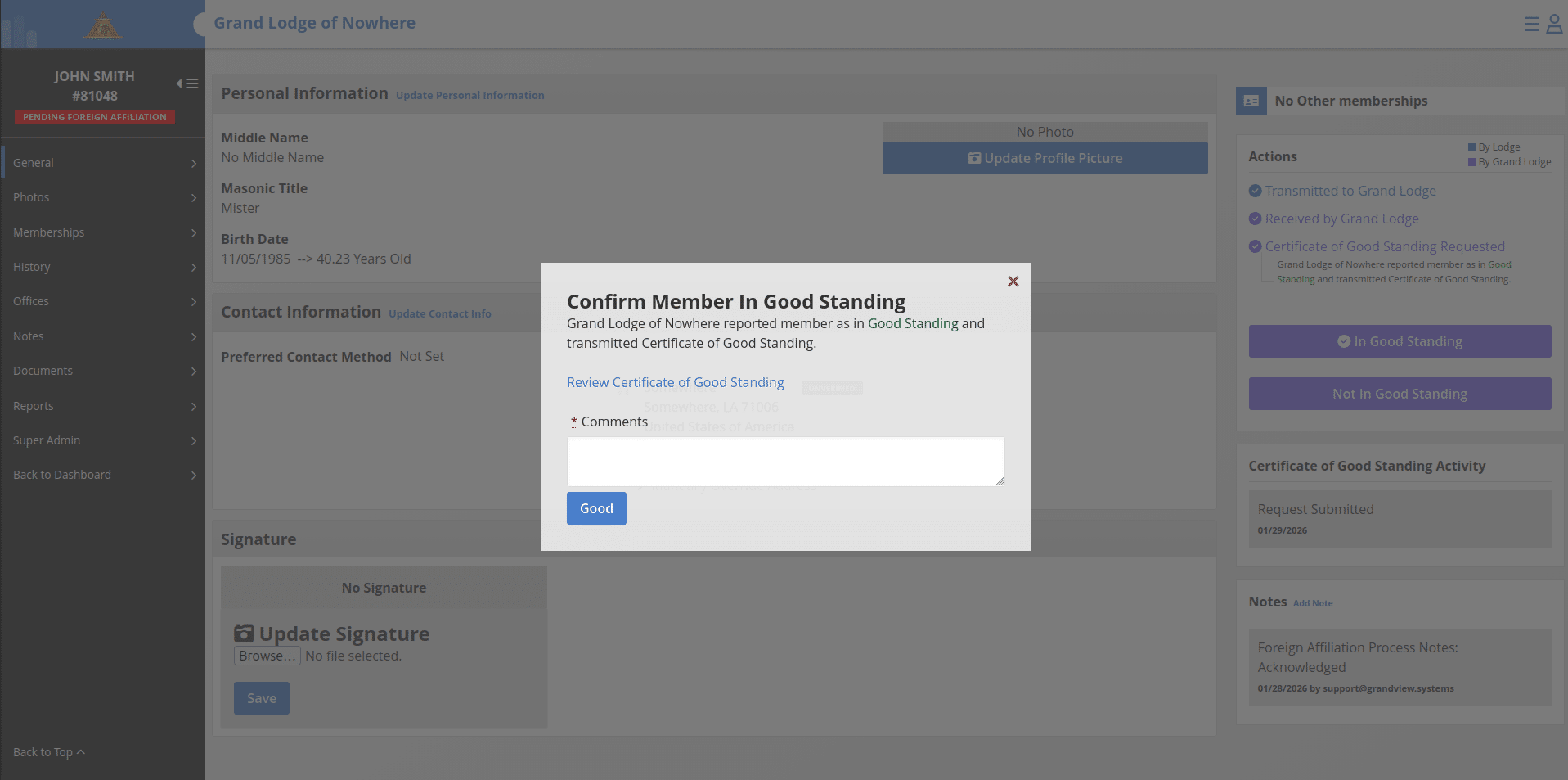
After clicking on the purple "In Good Standing" button, you have the option of reviewing the Certificate of Good Standing that has been transmitted from the member's home jurisdiction before adding a comment and clicking the "Good" button to confirm.
After the COGS is approved by marking the request as "Good":
The secretary may proceed to accept or reject the foreign affiliation.
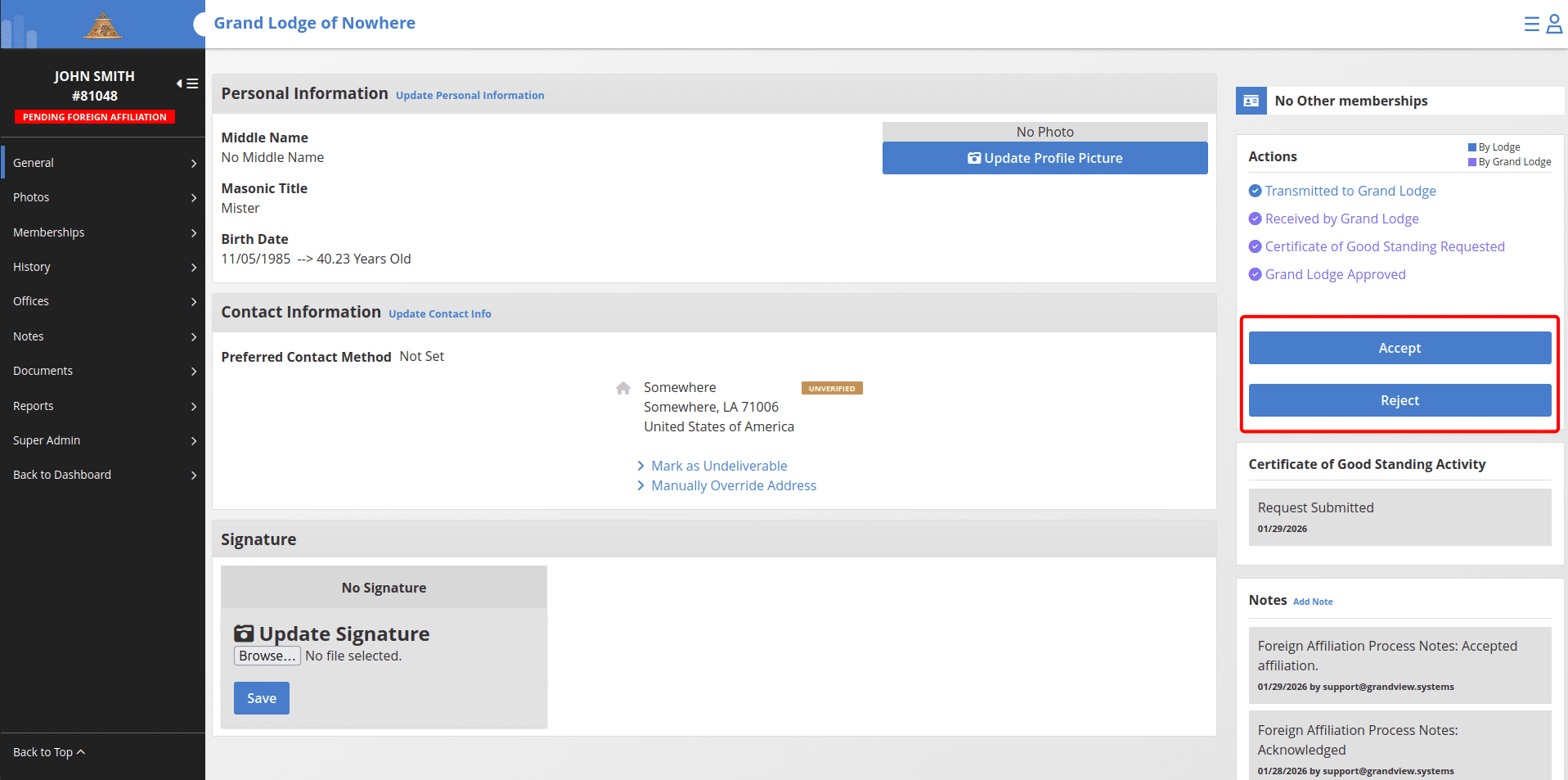
If accepted, the secretary may elect the member.
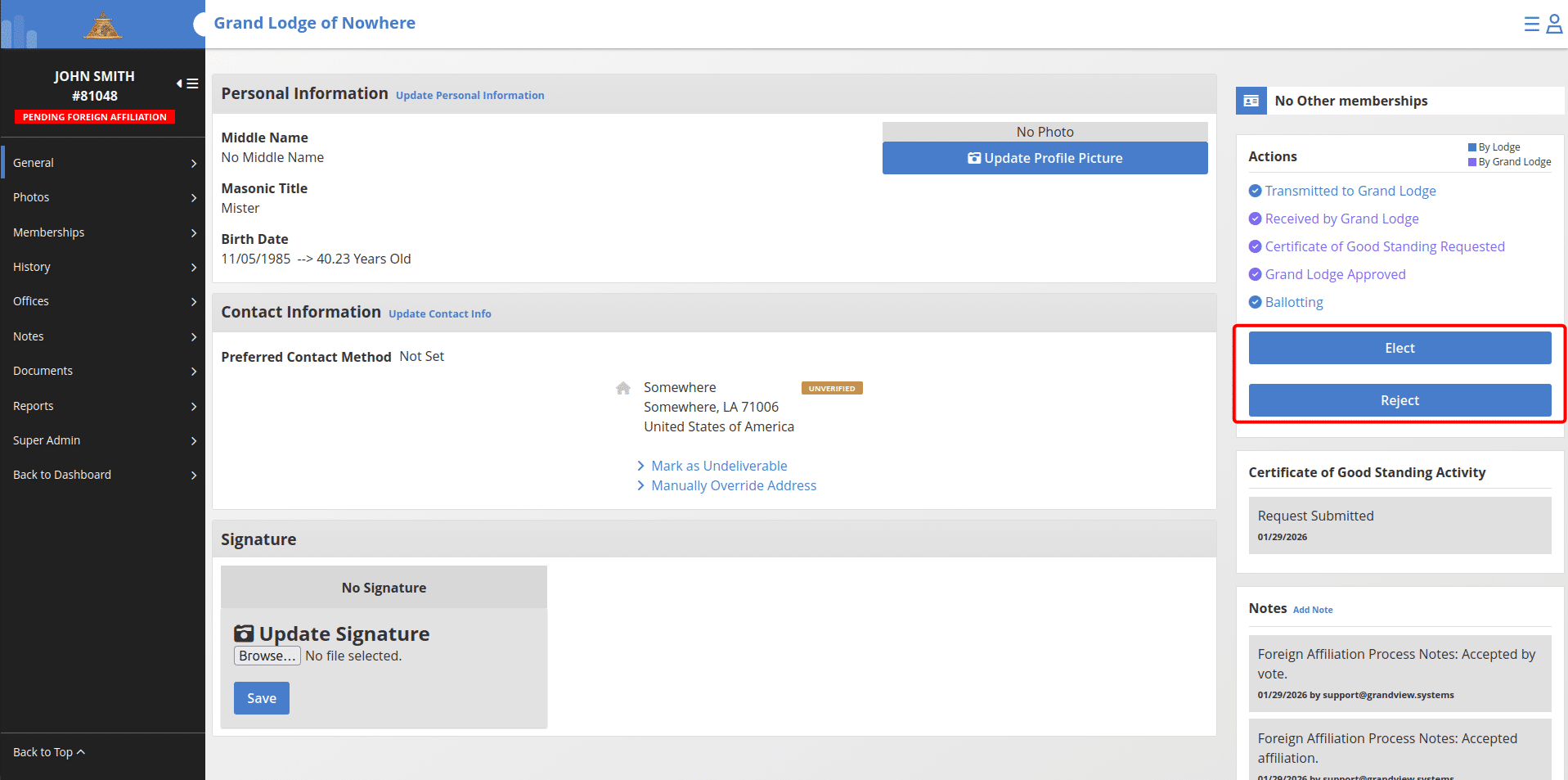
Once elected:
The request is marked complete and removed from the Operations Dashboard.
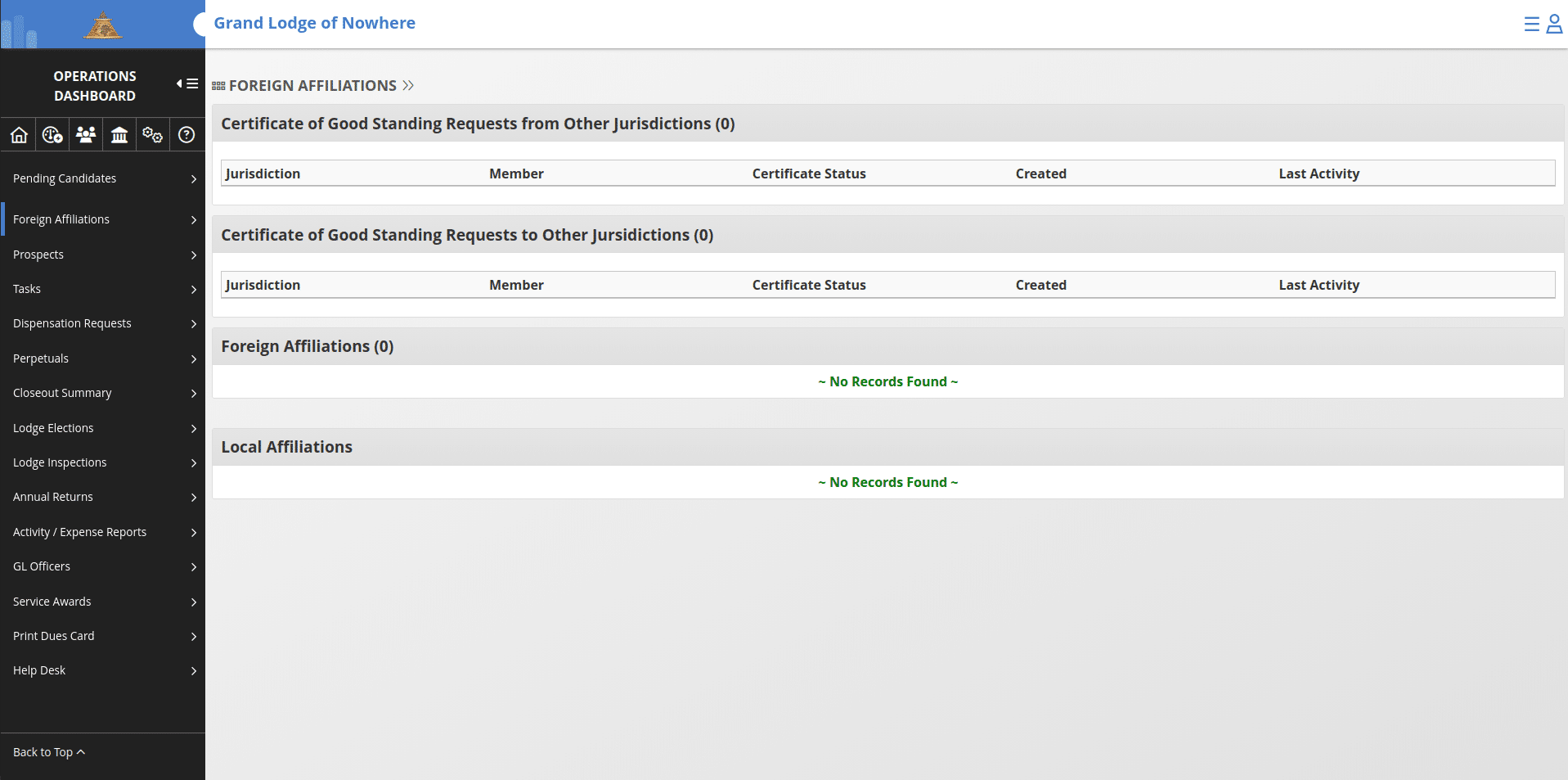
Once the secretary elects the member, it will mark that member as active and in good standing.