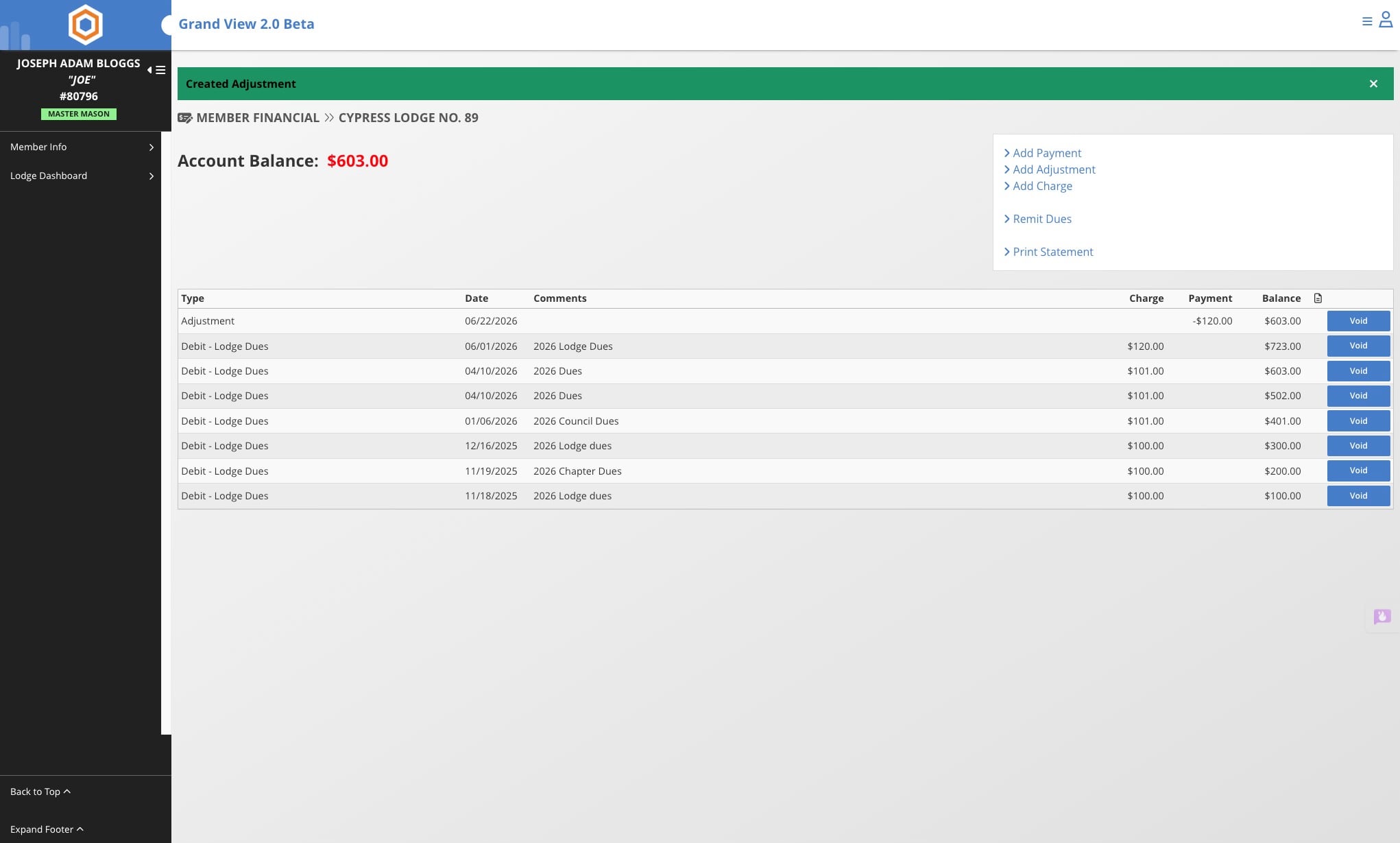
Add an Adjustment to Member's Account
This guide walks you through how to add an adjustment to a member's account. Learn how to apply positive adjustments (credits) to reduce a member's balance or negative adjustments (debits) to increase it, using a simple step-by-step process.
Jun 22, 2026●
1
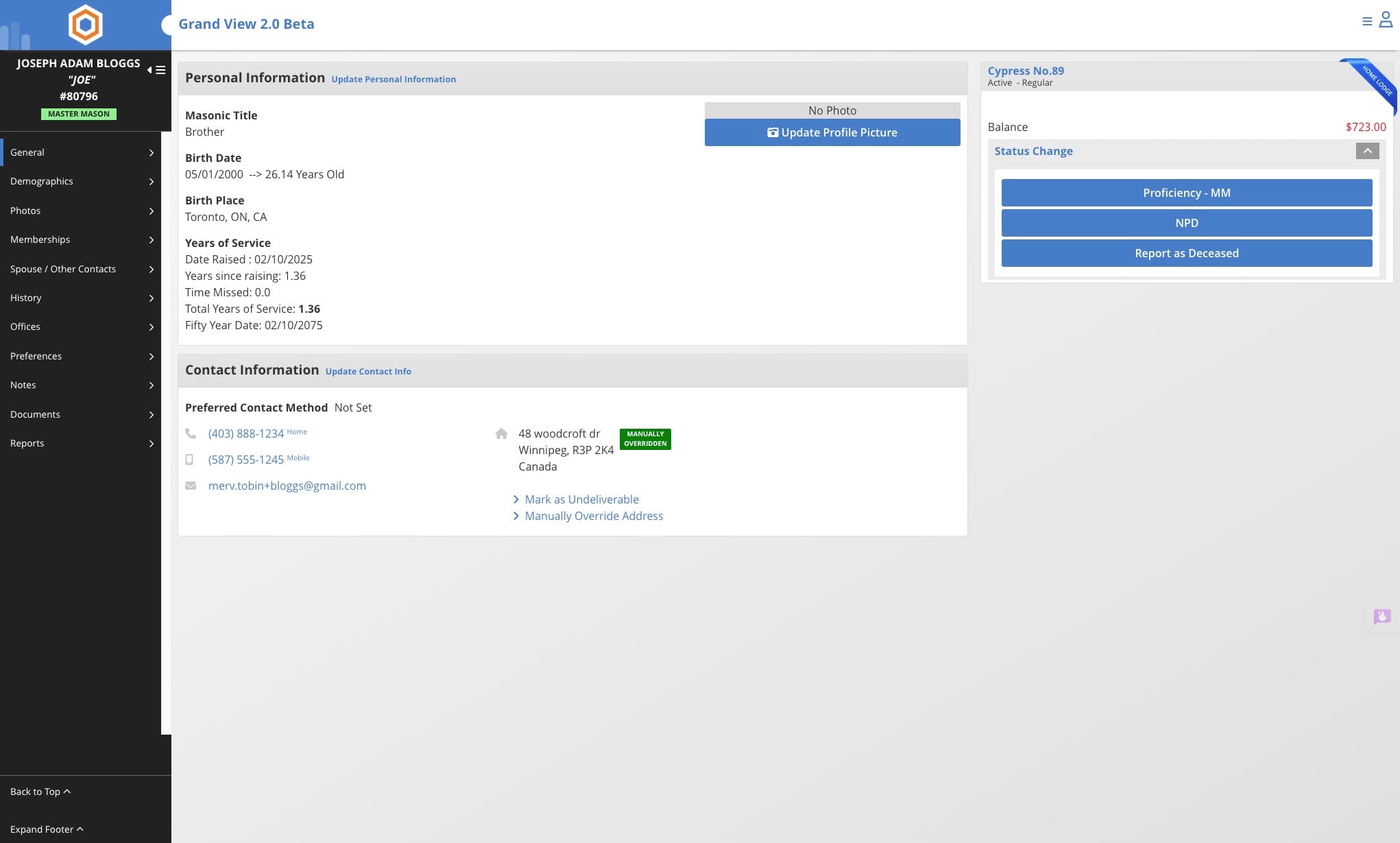
Navigate to the member's record
2
Click on the dollar amount owed by the member

3
Click on Add Adjustment
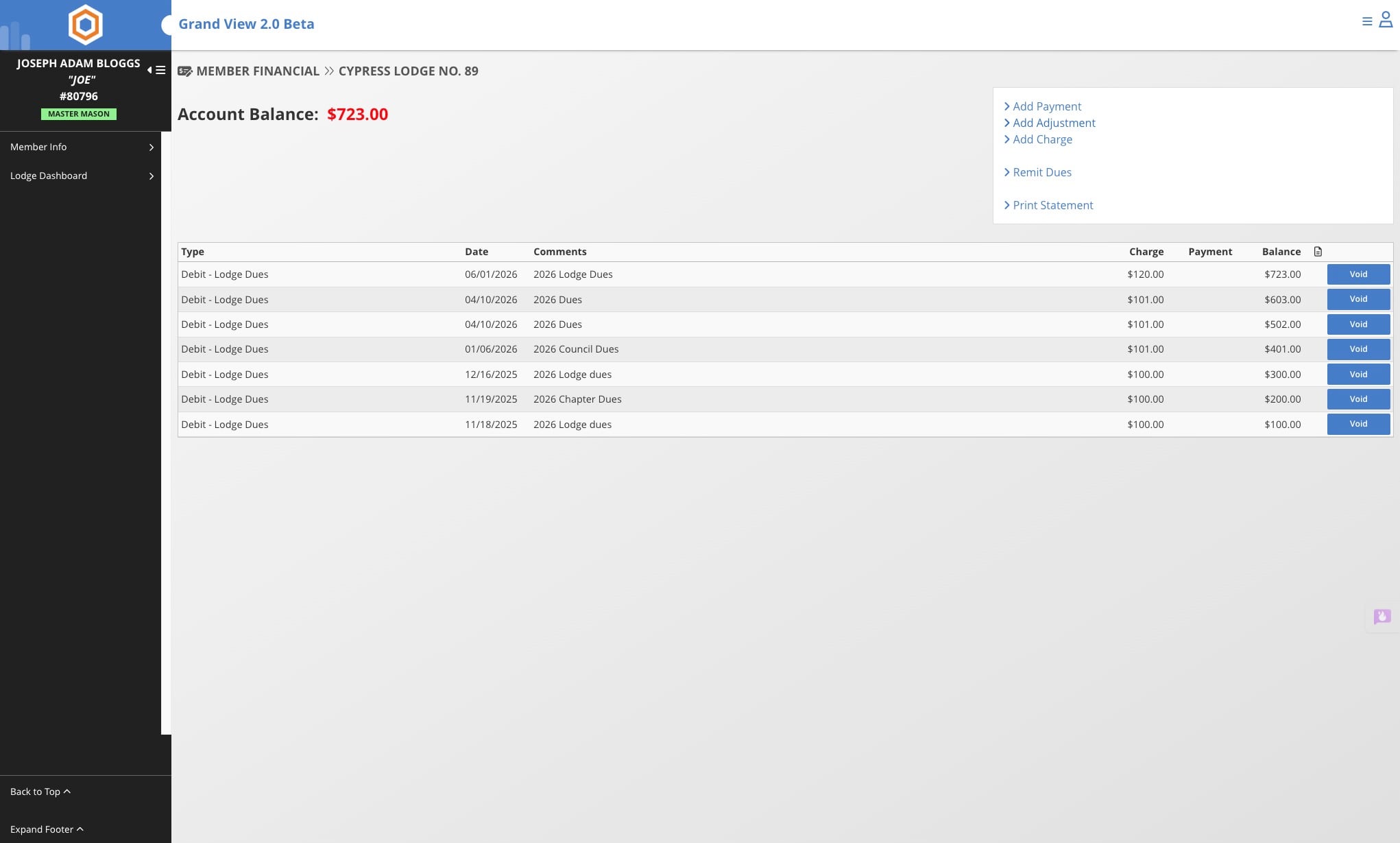
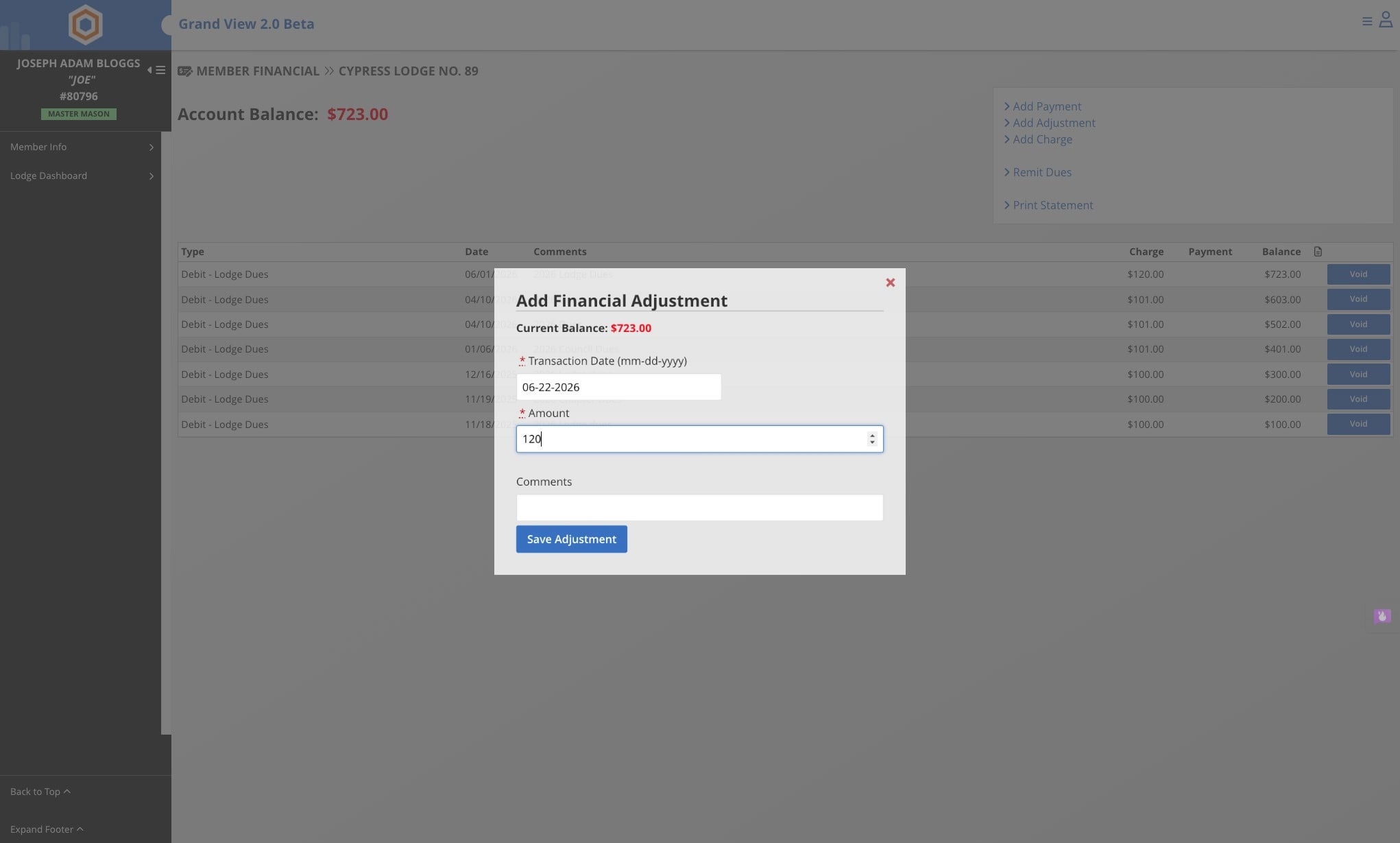
Adjustments can be either positive or negative. A positive amount acts as a credit, reducing the member's balance, while a negative amount acts as a debit, increasing the member's balance.
4
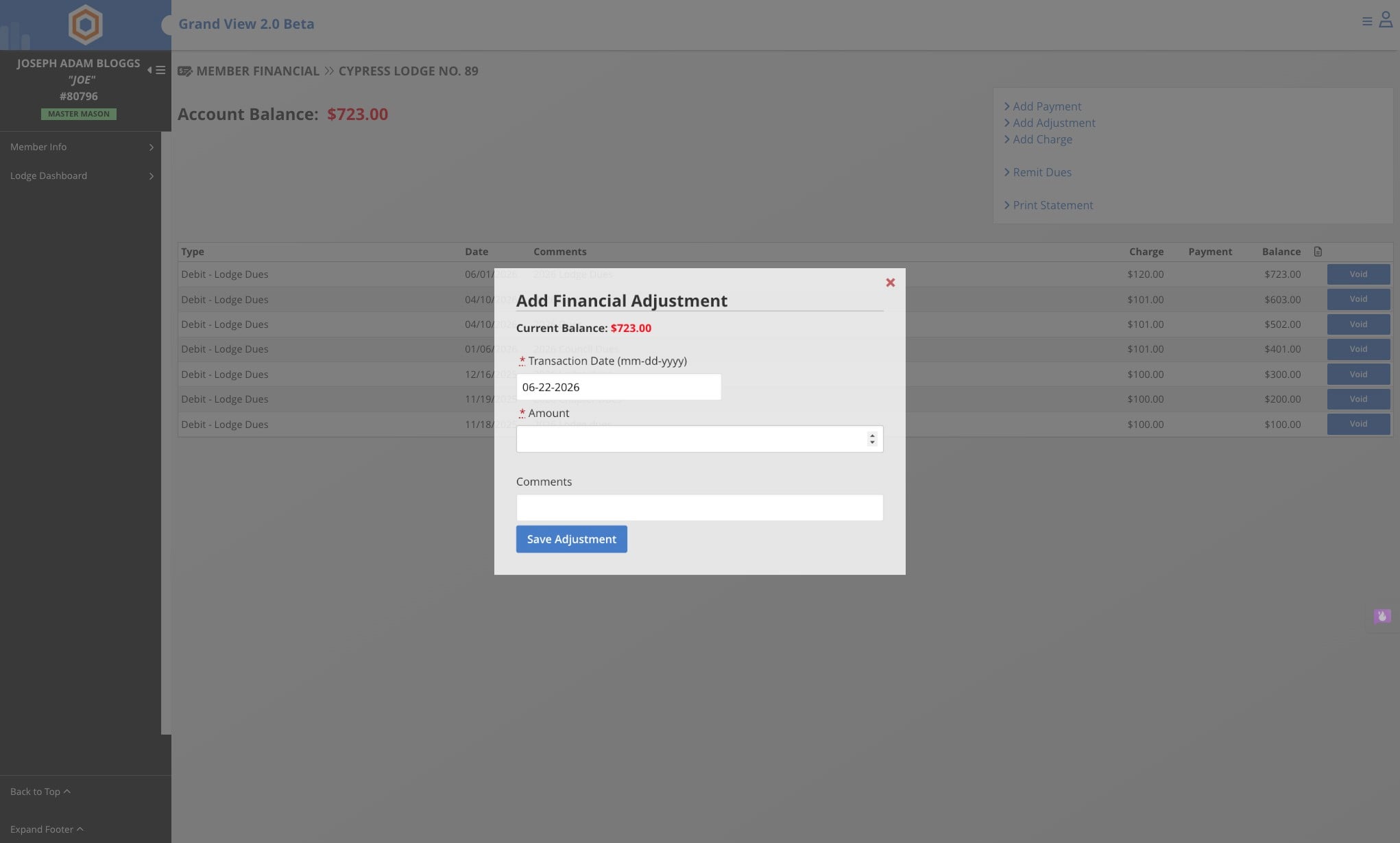
Enter the amount of the adjustment
5
Click on Save Adjustment
6
Done 🚀